An AI story generator for kids should not feel like a machine taking over story time.
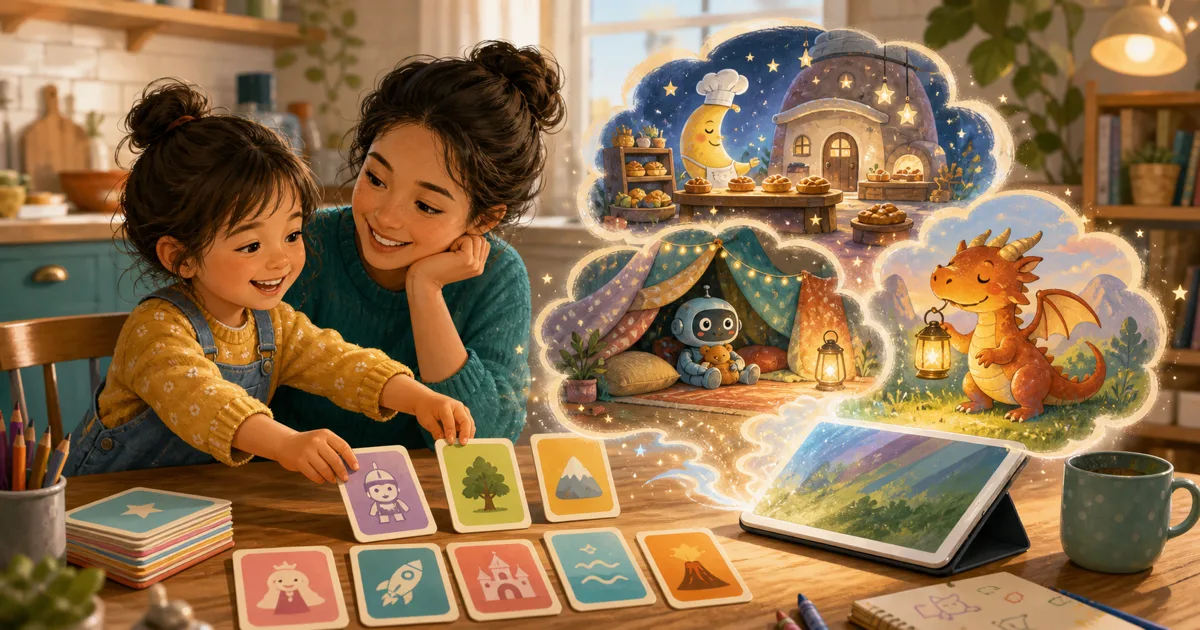
For families, the better version is quieter than that. A child says an idea. A grown-up helps shape the moment. The app turns the idea into pages, and then everyone comes back to the human part: reading, laughing, asking questions, and deciding what should happen in the next story.
That is the line Storybox tries to stay on. The technology helps make the story, but the story still belongs to the child and the reading still belongs to the family.
Quick take
If you are comparing AI story tools for children, look for:
- child-led prompts, not endless recommendations
- clear parent controls and privacy information
- stories that are meant to be read, not just watched
- natural stopping points
- easy ways to save or share finished stories
The best fit is not always the flashiest tool. It is the one that creates the kind of reading moment you actually want in your home.
If you are looking for the broader, non-jargon version first, read our guide to choosing a story generator for kids. It explains how to start with one child-made idea and end with a read-aloud instead of an endless generation loop.
Start with the question behind the search
Parents searching for an AI story generator for kids are usually not just looking for novelty.
They are often trying to solve a real family problem:
- "My child has big ideas but cannot type them yet."
- "We need a new bedtime story without buying another book tonight."
- "I want screen time that feels more creative."
- "My kid loves making up stories, but I run out of energy."
Those are fair reasons. The important thing is choosing a tool that supports the family moment instead of replacing it.
What makes a children's story generator feel safer and calmer
Any app for kids should make parent trust easy to evaluate.
Look for plain answers to practical questions:
| Parent question | Why it matters |
|---|---|
| Can I understand what the app does with prompts and stories? | Parents should not have to guess how story creation works. |
| Are parent-facing areas separated from kid-facing play? | Account, purchase, and sharing controls should stay with grown-ups. |
| Does the app avoid endless feeds? | Stories with endings make transitions easier. |
| Can stories be read together? | Shared reading keeps the grown-up in the loop. |
HealthyChildren.org encourages families to guide media use intentionally. That does not mean every digital tool is bad. It means the family should understand the role the tool is playing.
If you are thinking about the screen-time side first, our guide to positive screen time for kids has a simple framework for deciding what job the screen is doing.
Why voice matters for younger kids
Typing can be a barrier for children who have plenty to say.
A child may not be able to spell "submarine," but they can absolutely tell you about a submarine that got lost in a bathtub. Voice lets the story begin closer to how kids naturally share ideas.
In Storybox, the first step is speaking a story idea out loud. A prompt can be simple:
- "A dragon who is scared of butterflies"
- "A robot who forgets how to dance"
- "A tiny astronaut who opens a pizza shop on the moon"
That is enough to start. The child does not need to write a plot. They need a doorway.
The story should lead back to reading
This is where a story app can either drift into passive screen time or become something more useful.
Reading Rockets describes reading aloud as an important way families and teachers support children's language and literacy. A story generator should make that easier, not less likely.
That is also why we compare Storybox with reading apps for kids that still feel like reading: the finished story should make room for a grown-up voice, not push it away.
So after the story is made, ask:
- Can we read it together?
- Can my child revisit it?
- Can we talk about the characters?
- Can the story inspire drawing, pretend play, or another prompt?
Storybox is built around that loop: create, read, save, and come back.
A simple test before using any AI story tool
Try one prompt with your child and watch the room.
Do they sit back and zone out, or do they lean in and talk?
Do they ask questions?
Do they want to show someone?
Do they start adding details before the story is even finished?
Those little signs matter more than a feature list. A good AI story generator for kids should make your child feel like an author, not just an audience member.
How Storybox fits
Storybox is an AI story generator for kids and a kids story app for creating short illustrated stories from a child's spoken ideas. It is designed for families who want positive screen time that comes back to reading aloud.
If you want to start small, try our simple prompt formula: one character, one place, and one funny problem.
That is usually enough for the first story.